
If you’re looking for creating Switch button UI in Unity 3D, then this article is just for you. In Unity 3D the default boolean button is Toggle button only. The Toggle button in Unity is just looks like the typical checkbox button.
Unity Toggle button


When it comes to create a simple Switch button in Unity, there is no default UI element to achieve this. But we can create it very easily in Unity with basic coding skill.
Also Read: Create circular progress bar in Unity 3D with rounded edge
Simple Switch Button UI
Switch buttons toggle is the state of single settings / variable on or off, this interface is clearly informs the user on the state of particular setting.
In Unity 3D, creating the switch button is very simple as it looks. Also it will provide a good UI for the game.
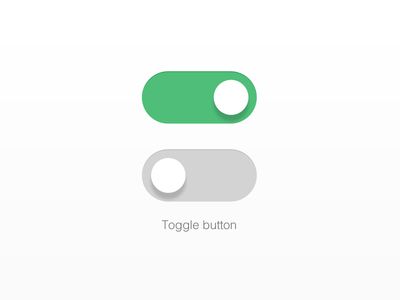
To make the transition of the button we can use the Asset store plugin called DOTWEEN, this plugin will provide more options to do in transition of the UI elements. By using this plugin the animation on Unity UI is made easy. The plugin is available in Asset store as a free version, in addition with that a Pro version also available.
Creating Switch Button in Unity
Please have a look at the following YouTube tutorial for clear idea on have to achieve this UI, this tutorial contains the images assets as well as the script for Switch toggle functionality.
Source Code
The below is the source code for the custom Switch UI in Unity 3D.
Happy Coding!.
[…] Also Read: Create Switch button UI in Unity 3D […]