How to Create Android Custom Viewpager Adapter – Android Tutorial
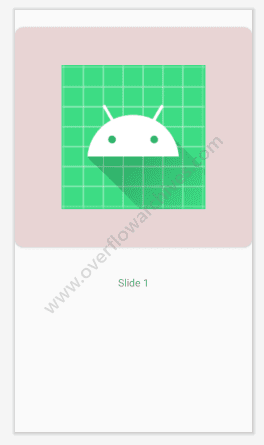
Viewpager is a widget in Android to make swipeable screens. The default view pager allows swiping left and right to see the next slides on the screen. In this post, we’ll see how to create a view pager with a custom view like a carousel UI. The below image is the output of this tutorial.

To make a custom viewpager like this, create the followings in your project
1.Activity for viewpager
2.Custom viewpager adapter by extending PagerAdapter
3.View layout for the page
Activity for Viewpager
First, create an Activity for your viewpager, in the activity XML add the viewpager widget inside the layout.
Now setup your custom layout which needs to be instantiated. Here I can designed the view with a Imageview at top and Textview below that.
Your layout will be look like this.
Viewpager Adapter
After completing your layout, create a view pager adapter by extending the PagerAdapter. And send the context and itemList to the adapter.
Setup the Activity
Now in your activity class create the adapter and assign it to the viewpager as below.
For customization of the viewpager add the below code
Also add a pageChangeListener to the viewpager to handle the slide event, do the following.
and add the viewPagerPageChangeListener to your viewpager viewPager.addOnPageChangeListener(viewPagerPageChangeListener)
Finally, your activity class is looks something like below.
See the Output. Hope this will be useful to someone. Happy Coding!.


Post Comment